Model-specific code library
Samsung washer Control board codes
31 printed codes in this group: 1 AC, 1 SF, 18:8J, 1AC6, 5F, 5F1, 5F2, 5F3, 5r, 9C7 and 21 more.
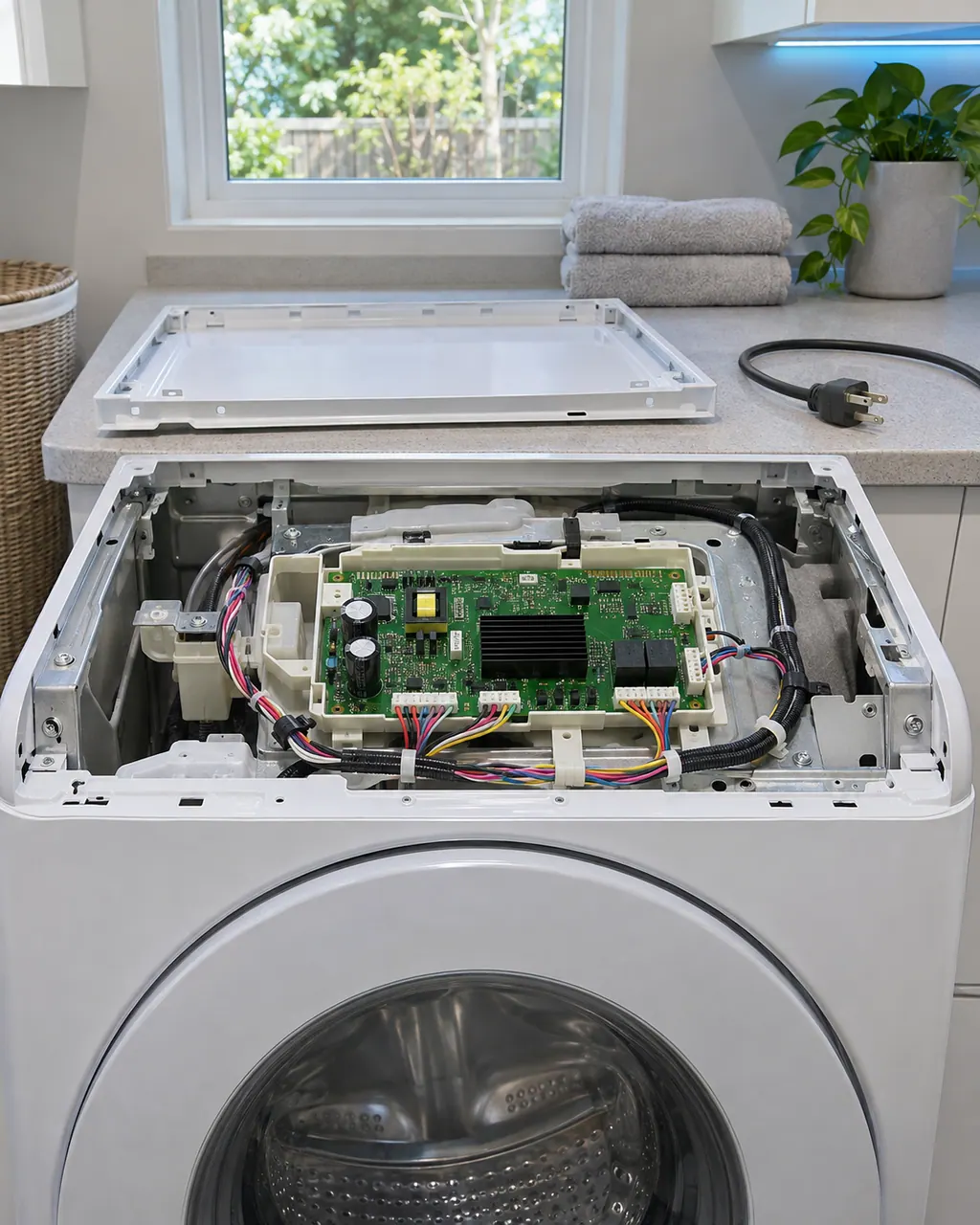
Control board codes
1 AC appears on Samsung's list of other washer errors as a Communication Error. Samsung gives the name only, with no specific steps. Power the washer off for 2 to 3 minutes, power it on and restart. Book a technician with us if it continues.
Reset, then book1 SF appears on Samsung's list of other washer errors as a System Error. Samsung gives the name only, with no specific steps. Power the washer off for 2 to 3 minutes, power it on and restart. Book a technician with us if it continues.
Reset, then book18:8J appears on Samsung's list of other washer errors as a Model Option Error. Samsung gives the name only, with no specific steps. Power the washer off for 2 to 3 minutes, power it on and restart. Book a technician with us if it continues.
Reset, then book1AC6 appears on Samsung's list of other washer errors as a Communication Error. Samsung gives the name only, with no specific steps. Power the washer off for 2 to 3 minutes, power it on and restart. Book a technician with us if it continues.
Reset, then book5F appears on Samsung's list of other washer errors as a System Error. Samsung gives the name only, with no specific steps. Power the washer off for 2 to 3 minutes, power it on and restart. Book a technician with us if it continues.
Reset, then book5F1 appears on Samsung's list of other washer errors as a System Error. Samsung gives the name only, with no specific steps. Power the washer off for 2 to 3 minutes, power it on and restart. Book a technician with us if it continues.
Reset, then book5F2 appears on Samsung's list of other washer errors as a System Error. Samsung gives the name only, with no specific steps. Power the washer off for 2 to 3 minutes, power it on and restart. Book a technician with us if it continues.
Reset, then book5F3 appears on Samsung's list of other washer errors as a System Error. Samsung gives the name only, with no specific steps. Power the washer off for 2 to 3 minutes, power it on and restart. Book a technician with us if it continues.
Reset, then book5r appears on Samsung's list of other washer errors as a System Relay Error. Samsung gives the name only, with no specific steps. Power the washer off for 2 to 3 minutes, power it on and restart. Book a technician with us if it continues.
Reset, then book9C7 appears on Samsung's list of other washer errors as a Hardware Overcurrent Error. Samsung gives the name only, with no specific steps. Power the washer off for 2 to 3 minutes, power it on and restart. Book a technician with us if it continues.
Reset, then book9C8 appears on Samsung's list of other washer errors as a Software Overcurrent Error. Samsung gives the name only, with no specific steps. Power the washer off for 2 to 3 minutes, power it on and restart. Book a technician with us if it continues.
Reset, then bookAC appears on Samsung's list of other washer errors as a Communication Error. Samsung gives the name only, with no specific steps. Power the washer off for 2 to 3 minutes, power it on and restart. Book a technician with us if it continues.
Reset, then bookAC3 appears on Samsung's list of other washer errors as a Communication Error. Samsung gives the name only, with no specific steps. Power the washer off for 2 to 3 minutes, power it on and restart. Book a technician with us if it continues.
Reset, then bookAC4 appears on Samsung's list of other washer errors as a Communication Error. Samsung gives the name only, with no specific steps. Power the washer off for 2 to 3 minutes, power it on and restart. Book a technician with us if it continues.
Reset, then bookAC5 appears on Samsung's list of other washer errors as a Communication Error. Samsung gives the name only, with no specific steps. Power the washer off for 2 to 3 minutes, power it on and restart. Book a technician with us if it continues.
Reset, then bookAC6 appears on Samsung's list of other washer errors as a Communication Error. Samsung gives the name only, with no specific steps. Power the washer off for 2 to 3 minutes, power it on and restart. Book a technician with us if it continues.
Reset, then bookAC7 appears on Samsung's list of other washer errors as a Communication Error. Samsung gives the name only, with no specific steps. Power the washer off for 2 to 3 minutes, power it on and restart. Book a technician with us if it continues.
Reset, then bookACb appears on Samsung's list of other washer errors as a Communication Error. Samsung gives the name only, with no specific steps. Power the washer off for 2 to 3 minutes, power it on and restart. Book a technician with us if it continues.
Reset, then bookAE appears on Samsung's list of other washer errors as a Communication Error. Samsung gives the name only, with no specific steps. Power the washer off for 2 to 3 minutes, power it on and restart. Book a technician with us if it continues.
Reset, then bookAE3 appears on Samsung's list of other washer errors as a Communication Error. Samsung gives the name only, with no specific steps. Power the washer off for 2 to 3 minutes, power it on and restart. Book a technician with us if it continues.
Check, then bookAE4 appears on Samsung's list of other washer errors as a Communication Error. Samsung gives the name only, with no specific steps. Power the washer off for 2 to 3 minutes, power it on and restart. Book a technician with us if it continues.
Reset, then bookAE5 appears on Samsung's list of other washer errors as a Communication Error. Samsung gives the name only, with no specific steps. Power the washer off for 2 to 3 minutes, power it on and restart. Book a technician with us if it continues.
Reset, then bookAE6 appears on Samsung's list of other washer errors as a Communication Error. Samsung gives the name only, with no specific steps. Power the washer off for 2 to 3 minutes, power it on and restart. Book a technician with us if it continues.
Reset, then bookAE8 appears on Samsung's list of other washer errors as a Communication Error. Samsung gives the name only, with no specific steps. Power the washer off for 2 to 3 minutes, power it on and restart. Book a technician with us if it continues.
Reset, then book