On this page
- Minimum magnetic base: 7 inch for zones 1 and 2, 11 inch for zone 3, 6 inch for zone 4. 1
- Aluminum, copper, brass, glass, ceramic and porcelain do not work. 1
- No pan, wrong pan or small pan: flashing, then off after 30 seconds. 12
- Liquid or a damp cloth on the panel shuts all zones off. 2
- Power Boost lasts at most 5 minutes per zone and zones share power in pairs. 6
Why does a zone flash and shut off on my Samsung induction cooktop?#
Because it does not detect a suitable pan. If the cookware is unsuitable, too small, or missing, the cooking zone's display flashes, and after 30 seconds that zone turns off. A common example is switching on a zone with an empty pan on it. 12
The manual says the induction element can only turn on with cookware that has a magnetic base on a zone. Sensors under the glass check the pan, and if any of the conditions are wrong, one or more zones will not heat and the setting flashes. Correct the problem before you try to switch the zone on again. 15
| What the sensors see | What happens |
|---|---|
| Magnetic pan, right size, centered | Zone heats |
| Pan too small for the zone | The display flashes and the pan does not heat 1 |
| Unsuitable material | The display flashes; the zone turns off after 30 seconds 2 |
| No pan | The same; off after 30 seconds 2 |
| Liquid boils over onto the panel | All zones switch off 2 |
| Damp cloth on the panel | All zones switch off 2 |
Which cookware materials work?#
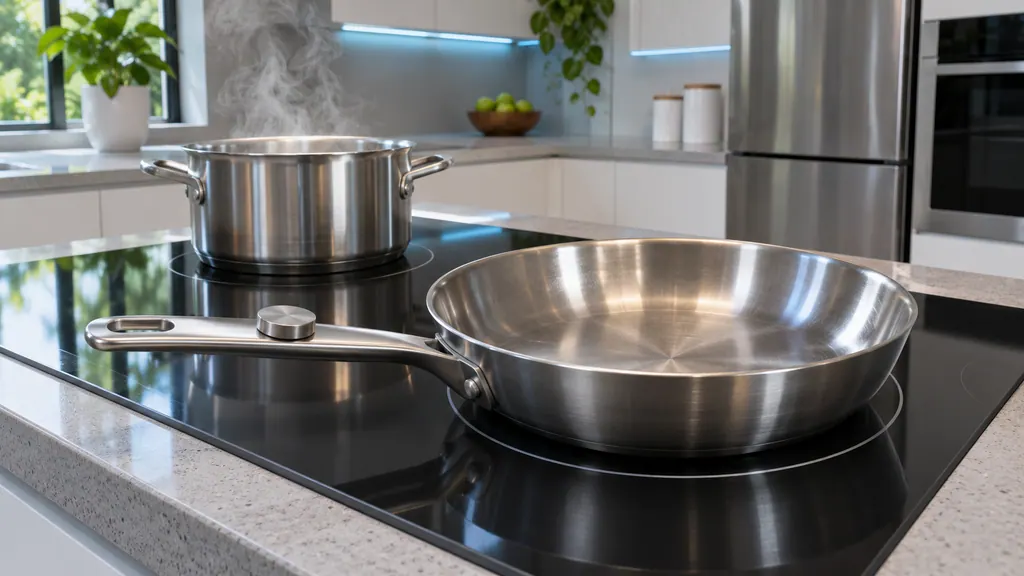
Steel, enameled steel and cast iron work. Stainless steel works only if the manufacturer labels it suitable. Aluminum, copper, brass, glass, ceramic and porcelain do not. A magnet that sticks to the bottom, plus the maker's label, is the manual's suitability test. 13
Cookware made of two or more materials can make cracking noises. 3 The manual also says certain cookware can be noisy on an induction zone, and these noises do not mean the cooktop has a problem. 1
Good pans are thick and flat on the base. The manual advises looking at the diameter of the base when you buy, because makers often give only the rim diameter. A base is normally bowed slightly inward (concave) when cold, never outward (convex). Do not use pans with damaged, rough or burred bases, because sliding them can scratch the glass permanently. 3
What size pan does each zone need?#
The magnetic part of the pan bottom must have a minimum diameter for the zone. On the NZ30A3060UK, zones 1 and 2 (7 inch) need 7 inches, zone 3 (11 inch) needs 11 inches and zone 4 (6 inch) needs 6 inches. 1
| Zone | Size on the glass | Minimum pan base |
|---|---|---|
| 1, left front | 7 inch | 7 inch |
| 2, left rear | 7 inch | 7 inch |
| 3, center | 11 inch | 11 inch |
| 4, right front | 6 inch | 6 inch |
The rings on the glass guide you. The inner ring is the minimum size, and the pan bottom must fully cover it. The thicker outer ring shows the maximum: after centering, the pan should not extend more than 1/2 inch beyond that line, and the manual elsewhere says pans should not go more than 1/2 to 1 inch beyond the cooking area. The pan must rest fully on the glass, not on the metal trim. 15
These sizes are for the NZ30A3060UK. For another Samsung cooktop, read the size table in its own manual.
What turns the cooking zones off by themselves?#
Several things: no or unsuitable cookware (30 seconds), overheating from abnormal operation (the display shows a message and the cooktop turns off), liquid or a damp cloth on the panel, a touch key held for more than 8 seconds, and a heat setting not chosen within about 20 seconds of switching on. 2
After a boil-over or cloth, you need to switch the cooktop on again with the Power key once the panel is clear. 2 If you touch the Power key and do not pick a heat setting within roughly 20 seconds, the cooktop switches itself off for safety. 2
If a message says the power applied to the cooktop is too high or too low, that is a supply matter, and a technician or electrician should check it. 2
Is Power Boost why my zone changes level?#
Possibly. Power Boost gives each zone extra power for up to 5 minutes, then the zone returns to its normal high setting. The cooking zones also share power: Power Management cuts the heat setting of a zone if boosting exceeds the maximum, and zones 1 with 2 and 3 with 4 are paired. 6
The indicator then alternates for 3 seconds between your set level and the maximum possible level, and settles on the maximum possible one. Power Boost can also switch off by itself to protect the electronics. 6
The Pause function drops all active zones to low power at once and returns them to the previous setting when you touch Pause again. The child safety lock locks the panel apart from the Lock key; a lock indicator shows in the display. Timers are not stopped by Pause. 6
Which noises are normal?#
Cracking from multi-material pans, whistling when both rear zones run, humming at high power, clicking from switches, and hissing or buzzing from the fan are all normal. The fan runs while you cook and may keep running after you switch off, then stops by itself. 34
Thicker cookware reduces whistling. 3 After use, the cooling fan continues until the electronics have cooled, switching on and off with the temperature. 4 If the cooktop overheats from abnormal operation, a message shows and the cooktop turns off. 4
How do I protect the glass?#
Clean the cooktop daily or after each use, wipe spills while they are hot, with great care and a clean dry towel, and never let plastic, sugar or sugary food melt onto it. Do not slide pans, do not use glass cookware or a trivet or wok ring, and do not let a pan boil dry. 4
Avoid abrasive powders, scouring pads, chlorine bleach and ammonia. A soiled dishcloth or sponge leaves a film that can stain the surface when it heats. 4 Never use the cooktop as a work surface or cutting board, and do not cook food directly on it. 4
What do Simmer and keep warm do?#
Select a cooking zone and touch the Simmer key to keep cooked food warm or to simmer; touch the key again to turn that burner off. To set a level, touch the heat setting selectors. The default level is 0 when you select a zone. 7
If more than one sensor is touched for longer than 8 seconds, an error shows in the heat setting display, and you reset it by touching the Power key. 7 To stop a single zone quickly, press and hold its sensor for 2 seconds. 6
When should I book a technician?#
Book a visit if a suitable, correctly sized pan is never detected on any zone, if the overheating message returns after cooling, if a high or low power message appears, or if the glass is cracked or deeply marked. 24
We are an independent repair company, not part of Samsung. A cooktop under Samsung's own warranty is repaired through the manufacturer. Otherwise book a visit. The technician agrees the price with you before any work starts, and the exact cost is confirmed after the on-site diagnostic. See our cooktop repair page and the page on a cooktop surface that will not turn on.
Sources#
- Electric Cooktop User manual NZ30A3060UKSamsung Electronics America (official user manual PDF, downloadcenter.samsung.com) · DG68-01384A, PDF created 14.01.2025 · PDF p24: cookware for induction cooking zones; using the correct size cookware
- Electric Cooktop User manual NZ30A3060UKSamsung Electronics America (official user manual PDF, downloadcenter.samsung.com) · DG68-01384A, PDF created 14.01.2025 · PDF p18: safety shutoff; other reasons a zone switches itself off
- Electric Cooktop User manual NZ30A3060UKSamsung Electronics America (official user manual PDF, downloadcenter.samsung.com) · DG68-01384A, PDF created 14.01.2025 · PDF p25: operating noises; suitability test
- Electric Cooktop User manual NZ30A3060UKSamsung Electronics America (official user manual PDF, downloadcenter.samsung.com) · DG68-01384A, PDF created 14.01.2025 · PDF p26: energy saving tips; temperature detection
- Electric Cooktop User manual NZ30A3060UKSamsung Electronics America (official user manual PDF, downloadcenter.samsung.com) · DG68-01384A, PDF created 14.01.2025 · PDF p23: use quality cookware in good condition
- Electric Cooktop User manual NZ30A3060UKSamsung Electronics America (official user manual PDF, downloadcenter.samsung.com) · DG68-01384A, PDF created 14.01.2025 · PDF p20-21: Power Boost, power management, Pause, child safety lock
- Electric Cooktop User manual NZ30A3060UKSamsung Electronics America (official user manual PDF, downloadcenter.samsung.com) · DG68-01384A, PDF created 14.01.2025 · PDF p19: select cooking zone and heat setting; keep warm