On this page
Should I use Self Clean or Steam Clean?#
Use Steam Clean for light cleaning, since it saves time and energy, and Self Clean for heavier soil. Samsung's manual says exactly that: the steam function is for light soil and the self-cleaning function for heavier duty. 2
| Steam Clean | Self Clean | |
|---|---|---|
| Best for | Light soil | Heavy soil |
| What you add | About 10 oz (300 ml) of normal water on the oven bottom | Nothing |
| Time | About 20 minutes | 2, 3 or 5 hours (default 3) |
| Door | Locks automatically | Locks automatically |
| Afterward | Sponge out hot water, wipe dry | Wipe white ash once cool |
How do I prepare for Self Clean?#
Take out the wire rack, broil pan, broil pan insert, all cookware and any aluminum foil, and wipe up debris from the oven bottom. Check that the oven light cover is in place and the light is off. Ventilate the kitchen with an open window, a fan or the hood. 1
The manual adds several cautions. 1
- Silver-colored oven racks can be self-cleaned, but they will darken, lose their luster and become hard to slide.
- Do not hand clean the oven door gasket, since the fiberglass cannot withstand abrasion; if it looks worn or frayed, have it replaced.
- Residue on the front frame of the oven and on the door outside the gasket needs hand cleaning, with hot water, soap-filled steel wool pads or a cleanser, then a good rinse and dry.
A worn gasket is a part for a technician to replace. See the oven door lock entry for the part that locks during the cycle.
How do I start Self Clean?#
Tap More modes and choose Self Clean, set the clean time of 2, 3 or 5 hours, optionally set a delay start, remove all accessories, tap How to clean, follow the instructions, swipe the screen and press the Smart Control to begin. The motor-driven door lock engages automatically. 1
- 1
- 2
- 3
- 4
- 5
You cannot start a self-cleaning cycle if the control lockout feature is on or the oven is too hot. 2 On a double oven, both doors lock when you run either oven's clean cycle, and you cannot cook in the other oven meanwhile. 12 The display shows the cleaning time remaining, and you cannot open the doors until the temperature has dropped to a safe level. 2
What should I do after Self Clean?#
Wait for the oven to cool, then wipe up any white ash with a damp cloth. If white spots remain, use a soap-filled steel wool pad and rinse thoroughly with a vinegar and water mixture. If the oven is not clean after one cycle, repeat the cycle. 2
You cannot set the oven for cooking until it has cooled enough for the door to unlock. 2 Clean the transparent camera cover and the upper LED glass regularly. For severe stains on them, run a self clean and then wipe them with a scouring pad, but never with a stainless steel spiral pad, which can scratch the lens. 2
How do I run Steam Clean?#
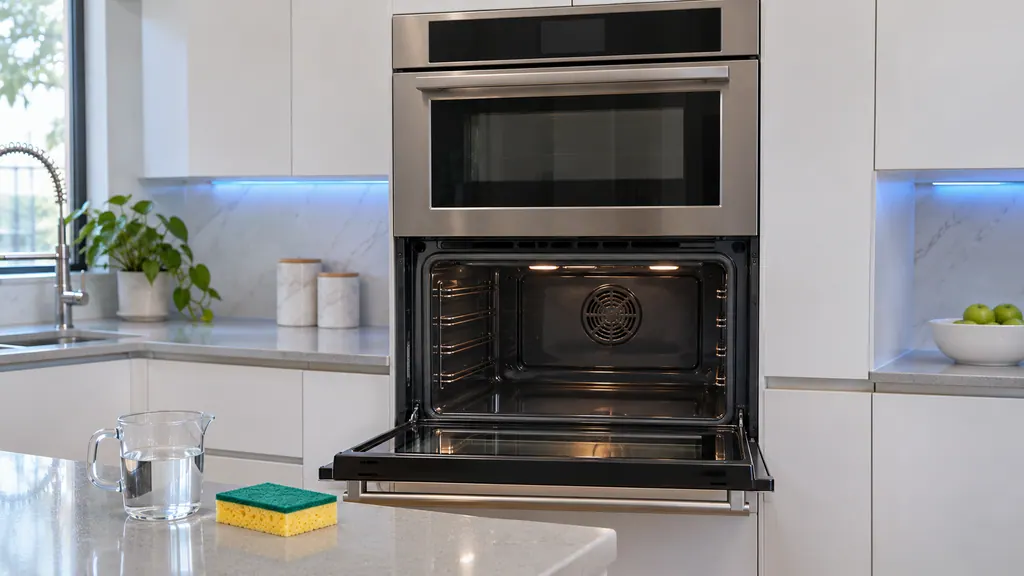
Tap More modes and choose Steam Clean, remove all accessories, tap How to clean and follow the instructions. Pour about 10 oz (300 ml) of normal tap water onto the bottom of the empty oven, close the door and tap Start. Use normal water only, not distilled. 3
The default clean time is 20 minutes and the motor-driven door lock engages automatically; both doors lock on a double oven. To stop the cycle, tap Off. 3 Wear gloves during cleaning. 3
After the cycle, be careful opening the door, because the water on the bottom is hot. Remove the remaining water with a sponge or a soft dry cloth, and do not leave it in the oven. Wipe the oven clean and dry, including under the door seal. 3
For stubborn residue use a detergent-soaked sponge, a soft brush or a nylon scrubber. A cloth soaked in vinegar removes lime deposits. For heavy residue such as roasting grease, rub detergent into it before you start the steam function, and repeat the procedure once the oven has cooled if it is still dirty. 3 Finally, leave the door ajar at a 15 degree angle to let the enamel dry thoroughly. 3
What is the Descale reminder?#
If you use Steam Bake or Steam Roast a lot, descale regularly so minerals do not affect the taste or quality of food. The Descale indicator turns on after a total of 12 hours of steam use on the upper oven. You then have two more hours of steam functions before they are disabled until you descale. 3
Use only descaling agents made for steam ovens or coffee machines. 3 The descale cycle takes 3 hours, and the screen asks for 13.5 oz (400 ml) of water with 1.7 oz (50 ml) of descaling solution in the water reservoir. 5
Do not cancel descaling once it runs. If you stop it, you must restart and finish within the next three hours to bring back Steam Bake and Steam Roast. 5
What do the troubleshooting entries say?#
Samsung's table covers the usual cleaning problems. If the oven will not self-clean, the oven may be too hot (let it cool and reset the controls), the controls may be set wrongly, or the lockout feature is on (deactivate it). 4
| Problem | Cause and answer in the manual |
|---|---|
| Excessive smoke during Self Clean | Heavy soil. Press Off, open the windows, wait for the cycle to cancel, wipe up the soil and start again 4 |
| Door will not open after Self Clean | The oven is too hot; let it cool 4 |
| Oven not clean after Self Clean | Controls not set correctly, or heavy soil; wipe big spills first and repeat or run longer 4 |
| Racks hard to slide | Silver racks were self-cleaned; wipe the edges with a paper towel with a little vegetable oil 4 |
| Door locked after a tripped breaker or power failure | Activate Control Lockout, then unlock the control 4 |
| Burning or oily odor from the vent | Normal in a new oven; run a self-clean of at least 3 hours or bake empty at 400 degrees F for 1 hour 4 |
Steam from the vent during convection cooking is normal, and so is the sound of water heating during steam cooking. 4
When should I book a technician?#
Book a visit if the doors stay locked long after the oven has cooled, if the cycle will not start when the oven is cool and not locked out, if the gasket is worn or frayed, or if the oven stays dirty after a repeat. 12
We are an independent repair company, not part of Samsung. A wall oven under Samsung's own warranty is repaired through the manufacturer. Otherwise book a visit. The technician agrees the price with you before any work starts, and the exact cost is confirmed after the on-site diagnostic. See our oven repair page.
Sources#
- Built-In Electric Wall Oven User manual NV51**700D**Samsung Electronics America (official user manual PDF, downloadcenter.samsung.com) · PDF created 15.01.2026 (no printed revision code on the cover) · PDF p50: before a self cleaning cycle; how to run a self-cleaning cycle
- Built-In Electric Wall Oven User manual NV51**700D**Samsung Electronics America (official user manual PDF, downloadcenter.samsung.com) · PDF created 15.01.2026 (no printed revision code on the cover) · PDF p51: after a self-cleaning cycle; how to set the oven for steam-cleaning
- Built-In Electric Wall Oven User manual NV51**700D**Samsung Electronics America (official user manual PDF, downloadcenter.samsung.com) · PDF created 15.01.2026 (no printed revision code on the cover) · PDF p52: steam-cleaning steps; after a steam-cleaning cycle; descale
- Built-In Electric Wall Oven User manual NV51**700D**Samsung Electronics America (official user manual PDF, downloadcenter.samsung.com) · PDF created 15.01.2026 (no printed revision code on the cover) · PDF p64: troubleshooting
- Built-In Electric Wall Oven User manual NV51**700D**Samsung Electronics America (official user manual PDF, downloadcenter.samsung.com) · PDF created 15.01.2026 (no printed revision code on the cover) · PDF p53: how to run a descale cycle