On this page
What does the Test button on a Samsung ice maker do?#
It runs the ice maker's built-in check and restarts it. Samsung's freezer article treats the button as the reset: after you press it, you hear a chime, and if the ice maker is operating properly you hear a second one. 1
That is why it is the first thing worth doing when the bucket stops filling. It costs nothing, needs no tools, and tells you whether the ice maker responds at all. It does not fix a water supply or a temperature problem, though. Samsung says plainly that the reset is only one step of troubleshooting. 1
Where is the Test button?#
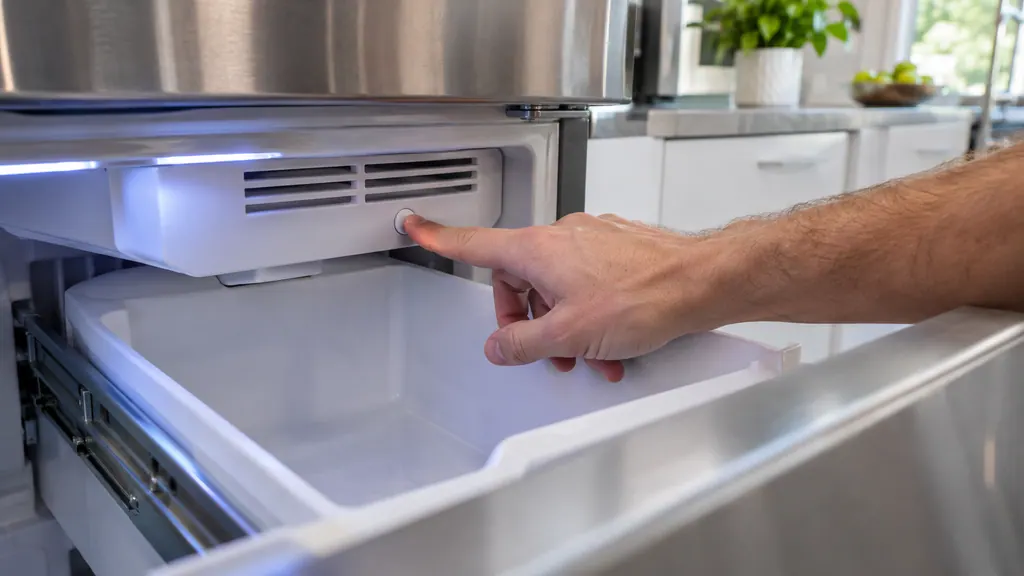
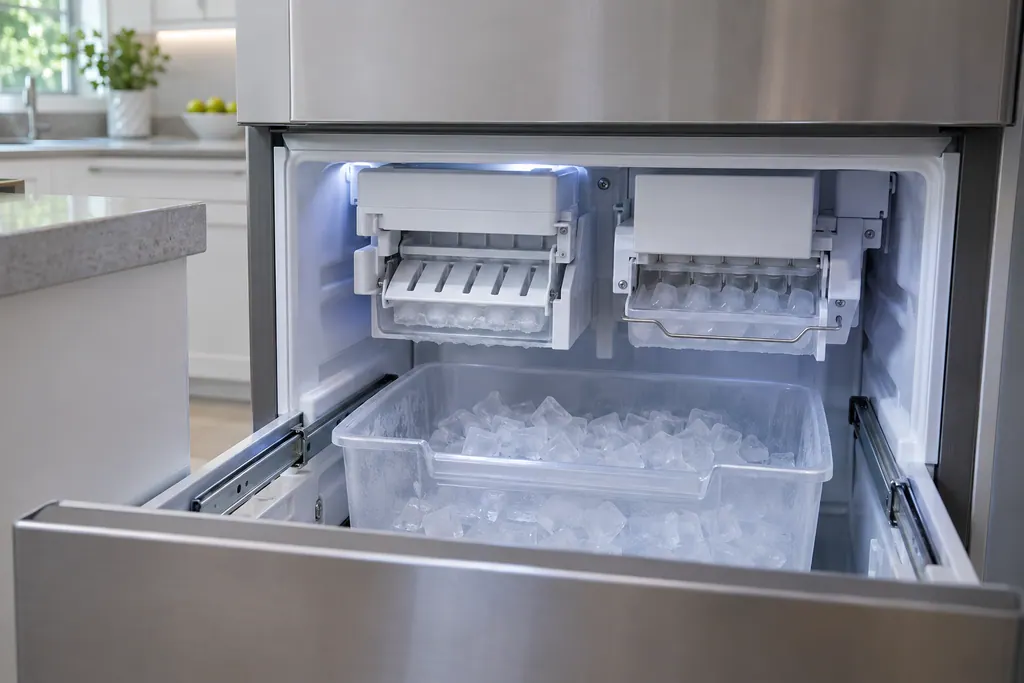
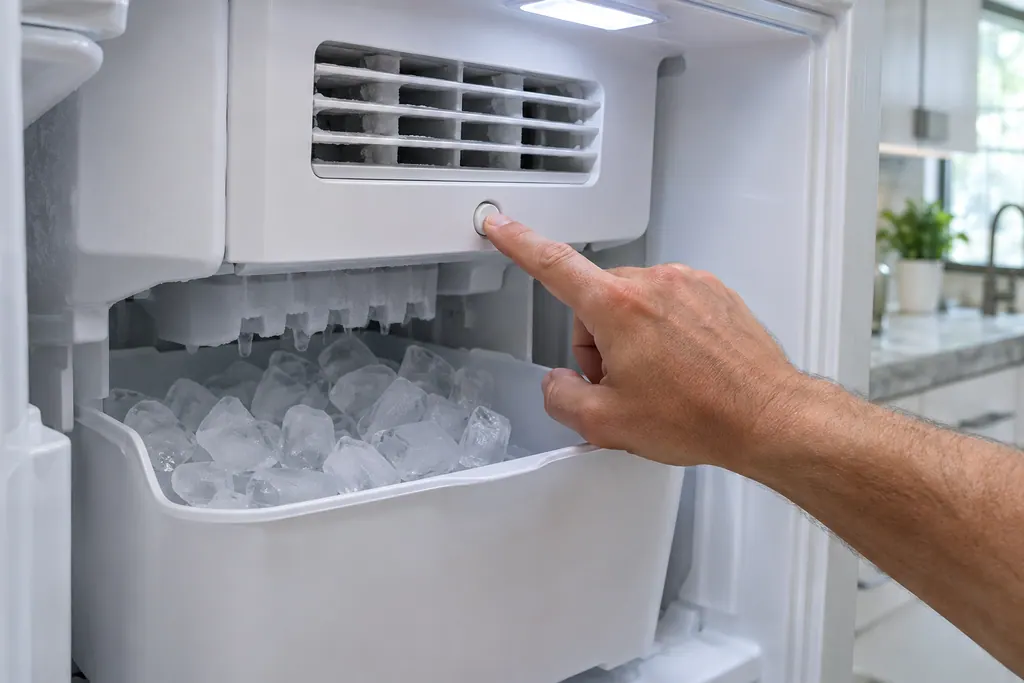
On a model with both cubed ice and Ice Bites, both ice makers sit in the bottom left freezer near the top. Ice Bites is the one on the right, cubed ice is on the left. Samsung says each has its own Test button. 1
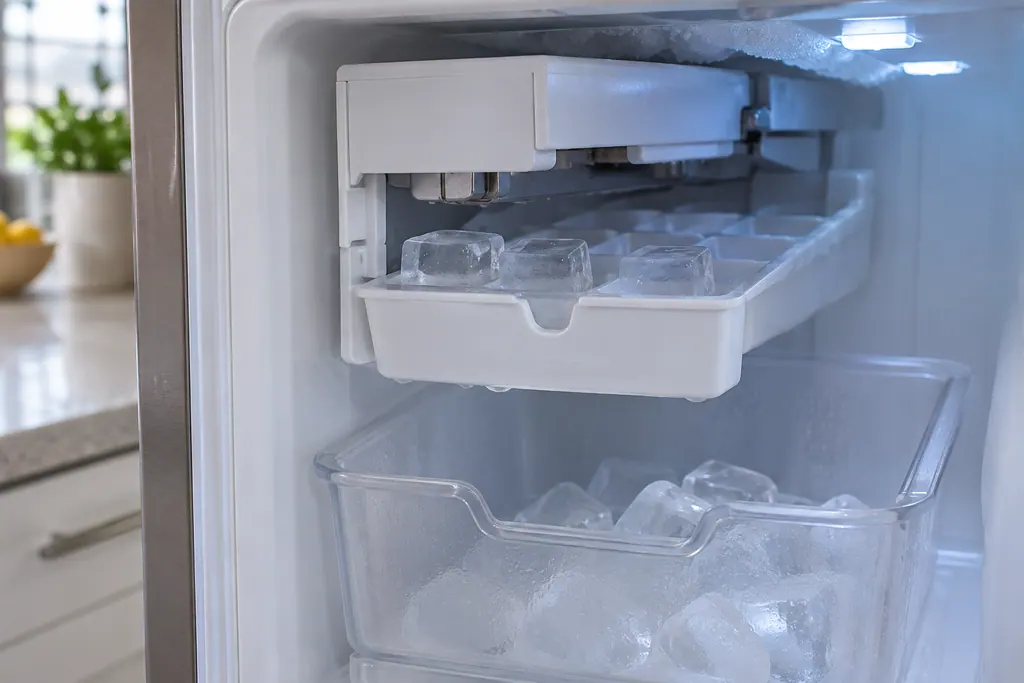
To reach it, put your hand under the ice maker's vent and above the ice bucket, and feel for the button. On most other models, the not-working article says you must take out the ice bucket to see the ice maker. 2 If you cannot find it by feel, remove the bucket first, then look.
How do I reset it?#
Open the freezer, find the ice maker, press its Test button once, and listen. If you have two ice makers, repeat for the other one separately. Do not press a second time in a row if you already see water or ice in the tray. 1
- 1
- 2
- 3
- 4
- 5
What do the chimes mean?#
One chime means the ice maker passed the test. Several chimes mean it did not, and Samsung's freezer article then says to request service. 1 Treat that as a clear dividing line: a passed ice maker is working, so the cause of no ice is somewhere else.
If you press Test and hear nothing at all, Samsung's other article has a separate route. Unplug the fridge or cut its circuit breaker for two minutes, then retry the button. If an error code shows after the power cycle, check the refrigerator code guide, because the fridge may need service with no further troubleshooting. 2 Our refrigerator code pages hold those rows.
Why do the two Samsung articles disagree on pressing?#
They describe the button a little differently. The freezer reset article says to feel for the Test button and press it. The not-working article says to press and hold it until a chime sounds, which may need as long as ten seconds. 12
The sources do not say which model each wording fits, and we have not found a rule. A sensible order is the lighter one first: one press, a pause, then a longer hold if nothing chimes. Never keep pressing after the tray is full, as the freezer article warns. 1 If your own manual describes the button, follow it, and arrange a visit once you are certain you are pressing the right spot and the ice maker does nothing.
How long does the test take, and what should I see?#
On an ice maker in the fridge compartment, Samsung says the test takes about 6 minutes. In the freezer compartment it takes about 30 seconds. At the end, the water valve should hum and pour water into the ice maker. 2
Stay nearby and watch the ice maker move, as the article suggests. If it dispensed water at the end, the water supply passed a basic check, and you can move straight on to waiting for ice. If it moved but gave no water, the supply is the next suspect. 2
What should I check before and after a reset?#
Start with the simple settings. The ice maker only makes ice when the freezer is at 0 F or lower, and it will not run if the Ice Off icon is lit or if something other than ice sits in the bucket. 2
Look at each of these in turn.
- Temperature: Samsung says the freezer must reach 0 F to make ice, and suggests Power Freeze for three hours if it is set warmer. 2
- Ice Off: most models light an Ice Off icon when the ice maker is off. Turn it so it is not lit. Models with two ice makers have one button for both. 2
- Bucket: only ice belongs in it. A scoop or food can make the ice maker think the bucket is full. 2
- Cooling Off mode: a display showing OF OF, O FF or scrolling bars means Demo mode, which switches off cooling, ice making and the dispenser. 4
- Dual models: the bucket must go in the right direction, with the scoop holder at the front, or the ice maker is blocked and stops. 2
Our OF OF page covers that mode. The Ice Off blinking row explains the blinking icon, and the Test button row lists the chime result.
What about water pressure?#
If the ice maker did not give water at the end of the test and has never worked since the water line was last adjusted, Samsung says to confirm the pressure is at least 20 psi, and suggests a plumber. 2 No further steps help until that is true.
Where the fridge has a dispenser, a quick check exists. The line should fill 6 ounces, or three-quarters of a cup, in under 10 seconds. If it does not, remove the water filter and try again. A pass without the filter means the filter or low pressure is the cause. 2 Samsung asks for its own brand of filter. Cloudy ice, meanwhile, is normal; small or shattered cubes point to low pressure. 2
How long until ice comes back?#
Samsung says normal ice production should start within three hours, though a full return to normal amounts can take a full 24 hours, about two trays every three hours. Power Freeze speeds it up if you need more than one tray. 2
Dispense ice from time to time in that window. If ice piles up at one end of the bucket, the ice maker may think it is full and stop. 2 If the bucket stays empty beyond three hours, Samsung's last step is to request service.
What should I not do?#
Do not defrost the ice maker, and do not force a stuck bucket out or use a hair dryer on it. Samsung says defrosting can damage the unit, which has its own automatic defrost. A frozen bucket or a sheet of ice over the ice maker needs service. 2
For frost around the freezer, see our refrigerator frost page. The ice bucket page names the part itself.
Which outcomes call for a technician?#
Several chimes, silence after a power cycle, or an empty bucket three hours after a passed reset with an open supply valve and decent pressure. 12
Our company is separate from Samsung. While Samsung's warranty applies to your fridge, that repair is Samsung's. In other cases, book a visit and pass on the model, how many chimes you heard, whether water poured at the end of the test and how long the ice maker has sat idle. The ice maker service page describes the work.
Sources#
- Reset the ice maker for cubed and Ice BitesSamsung Electronics America (official US support article, samsung.com/us) · Page meta date 2025-08-22; fetched 12.11.2026 · Steps 1 to 3 and the Note
- Samsung ice maker is not workingSamsung Electronics America (official US support article, samsung.com/us) · Page meta dates 2024-05-14 to 2026-08-03; fetched 12.11.2026 · Sections Ice maker is not making any ice (steps 1 to 8), small and cloudy ice, and stuck ice bucket
- Samsung refrigerator error codesSamsung Electronics America (official US support article, samsung.com/us) · Page meta date 2026-05-05; fetched 12.11.2026 · Entries Any other codes and Ice Off blinking
- Samsung refrigerator shows code OF OF, O FF, or scrolling barsSamsung Electronics America (official US support article, samsung.com/us) · Page meta date 2026-02-10; fetched 12.11.2026 · Opening paragraph and step 1